Skip to content
  • Surfmyindia |
  • Lifedreamguide |
  • w3webmart |
  • Overstockphoto |
  • News24globalworld |
  • News24classictimes |
  • Incriediableindia |
  • TechW3web |
  • W3Force ..
w3web.net
Sign Up to Get Free Code Access → |
  • Home
  • Tutorial
    • Lightning Component
    • Salesforce LWC
    • Salesforce Integration
    • Visualforce
    • Trigger
    • JQuery
  • Get Free Courses
  • Integration
  • Aura Comp
  • Salesforce LWC
  • Visualforce
  • Trigger
  • JQuery
  • React Js
  • More
    • About Us
    • Contact Us
    • Sitemap
    • Course Pricing
    • Blog
    • Gallery
    • Most Popular Articles
    • Download E-Book
    • YouTube Channel


rest api apex

How to run Apex REST API Post/Put/Patch/Get/Delete through Workbench into Opportunity object in Salesforce | Steps to call apex rest service Post/Put/Patch/Get/Delete from workbench rest explorer in Salesforce | How to make call to apex rest api in Workbench in Salesforce
January 14, 2025September 25, 2022 by Vijay Kumar
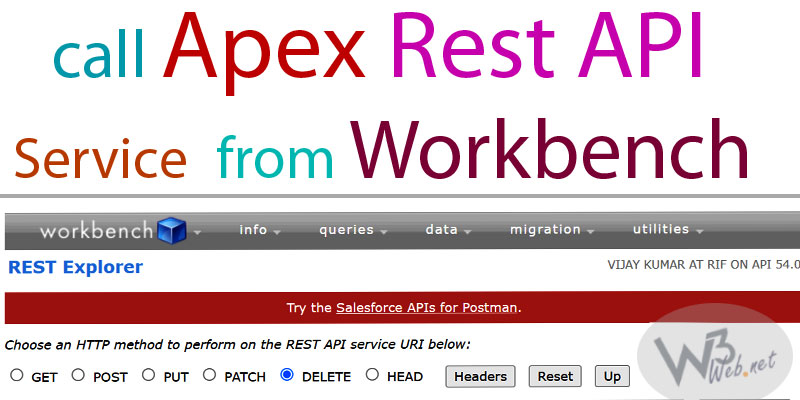
call apex rest service from workbench rest explorer -- w3web.net

Hey guys, today in this post we are going to learn about How to run Apex REST API Post/Put/Patch/Get/Delete through Workbench into Opportunity object in Salesforce. A REST resource is an abstraction of a piece of information or an action, such as a single data record, a collection of records, or a query. Each resource … Read more →

Categories Salesforce Integration, Tutorial Tags apex rest callout get method with parameters, calling a Salesforce Custom Rest API, how do I call a custom REST API from workbench?, how do I use REST API in workbench?, how do you call Apex REST services from workbench?, how do you call REST API in Apex Salesforce?, how to login to workbench in salesforce, how to make call to apex rest api, how to run REST API through Workbench Salesforce, rest api apex, rest api post method example in salesforce, salesforce custom rest api example, steps to call apex rest service from workbench rest explorer, using rest api insert account record in workbench, workbench salesforce rest api, workbench salesforce trailhead Leave a comment

Archives →

Categories →

  • Agentforce (4)
  • Blog (4)
  • More (7)
  • Tutorial (326)
    • Formula Field (1)
    • JQuery (13)
    • Lightning Component (60)
    • React Js (15)
    • Salesforce Integration (41)
    • Salesforce LWC (115)
    • Trigger (57)
    • Validation Rule (9)
    • Visualforce (16)
  • Uncategorized (4)

Global Visitors →

Popular Posts →

  • Create Quote and QuoteLineItem From Opportunity in LWC -- w3web.net How to Create Quote and QuoteLineItem From Opportunity in Lightning Web Component – LWC Salesforce | How to add and delete rows dynamically in lightning web component | How to create multiple records dynamically with custom functionaliy in LWC 4.17 views per day
  • Write Apex Trigger Whenever a Contact is Inserted / Updated / Deleted, We need to Count child Contacts related to each Account Based on MailingCountry Only for these 4 countries (India, USA, England, Japan) Then store the count on Account object. 3.17 views per day
  • Do not allow delete Account, if any of related Contact associated with Account in Salesforce | Prevent the deletion of Account which have related contact through apex trigger in Salesforce 3 views per day
  • Salesforce sends Contact data to an External CRM System using POST REST API, External system returns a Customer Reference ID, salesforce stores that ID in a custom field, Whenever Contact Phone or Email is updated, Salesforce notifies the external sy... 3 views per day
  • update contact account name Null whenever account record is updated -- w3web.net Create a Apex Trigger on Account to Update the Associated Contact Account Name Null Whenever Account Record is Updated in Salesforce | trigger to update account name of contact whenever account record is updated 2.50 views per day
  • Apex Trigger Whenever Contact is Inserted/Updated/Deleted/Undeleted We need to count Contacts based on LeadSource and update Account, LeadSource values: Web, Phone Inquiry, Partner Referral, Advertisement 2.33 views per day
  • use the lightning formatted fields in lwc - w3web.net How to use the lightning-formatted-email, lightning-formatted-number, lightning-formatted-phone, lightning-formatted-date-time, lightning-formatted-text, lightning-formatted-address, lightning-formatted-url in Salesforce lightning web component (LWC)... 2.33 views per day
  • lightning datatable inline edit lwc -- w3web.net Example of lightning-datatable inline to edit/save rows of records and refresh lwc component on click button in Salesforce Lightning Web Component — LWC | Inline Edit/Save Field and refresh the component after successful save of standard record... 2.33 views per day

Get Free Courses →

right side banner -- www.surfmyindia.com
right side banner -- overstockphoto.blogspot.com

Join Our Newsletter →

Loading
right side banner -- www.lifedreamguide.com

Recent Posts →

  • Create a hand-on example as pass input value from parent to child component through PubSub Model LWC in Salesforce
  • How to pass input value from parent to child component through LMS method in Salesforce | Hand-on example as pass input value from parent to child component through Lightning Message Service (LMS) in Salesforce
  • Apex Trigger Whenever Case is: Inserted/Updated/Deleted/Undeleted We need to count Cases based on Priority: High, Medium, Low And update counts on Account
right side banner -- www.w3webmart.com


header banner -- www.overstockphoto.blogspot.com
  • Follow Me →
➡ : Facebook
➡ : Twitter
➡ : Linkedin
➡ : Instagram
➡ : Reddit
➡ : Forcetalks
➡ : Pinterest
➡ : Github
➡ : Medium
➡ : Tumblr
➡ : Telegram
 

🧩 Get Free Courses

👉 Get Complementary →

right side banner -- www.w3webmart.com
header banner -- www.overstockphoto.blogspot.com

Recent Posts →

  • Create a hand-on example as pass input value from parent to child component through PubSub Model LWC in Salesforce
  • How to pass input value from parent to child component through LMS method in Salesforce | Hand-on example as pass input value from parent to child component through Lightning Message Service (LMS) in Salesforce
  • Apex Trigger Whenever Case is: Inserted/Updated/Deleted/Undeleted We need to count Cases based on Priority: High, Medium, Low And update counts on Account
  • Apex Trigger Whenever Opportunity is: Inserted/Updated/Deleted/Undeleted We need to: Calculate total Amount of all Opportunities Where StageName = ‘Closed Won’ And update it on Account
  • Apex Trigger Whenever Opportunity is Inserted/Updated/Deleted/Undeleted We need to count how many Opportunities have: StageName = ‘Closed Won’ And update that count on Account.
  • Apex Trigger Whenever Contact is Inserted/Updated/Deleted/Undeleted We need to count Contacts based on LeadSource and update Account, LeadSource values: Web, Phone Inquiry, Partner Referral, Advertisement
header banner -- www.lifedreamguide.com

Popular Posts →

  • save Pdf as a attachement in salesforce -- w3web.net Save the Attachment as PDF using Apex Class and Visualforce Page on click button in Salesforce | How to save instantly my pdf visualforcepage as a file/attachment on click button in Salesforce | Rendering a VF page as PDF and saving it as an attachement in Salesforce 7 views
  • Apex Trigger Whenever Contact is Inserted/Updated/Deleted/Undeleted We need to count Contacts based on LeadSource and update Account, LeadSource values: Web, Phone Inquiry, Partner Referral, Advertisement 6 views
  • Create a hand-on example as pass input value from parent to child component through PubSub Model LWC in Salesforce 4 views
  • Create Quote and QuoteLineItem From Opportunity in LWC -- w3web.net How to Create Quote and QuoteLineItem From Opportunity in Lightning Web Component – LWC Salesforce | How to add and delete rows dynamically in lightning web component | How to create multiple records dynamically with custom functionaliy in LWC 4 views
  • Surfmyindia |
  • Lifedreamguide |
  • w3webmart |
  • Overstockphoto |
  • News24classictimes |
  • TechW3web |
  • Refund Policy |
  • Delivery Policy |
  • Privacy Policy |
  • Term & Conditions
© 2026 w3web.net • Built with GeneratePress